Syncfusion.Shared.Base 30.2.7
Syncfusion® WinForms Shared Components
This package contains WinForms BannerTextProvider, WinForms BorderLayout, WinForms CardLayout, WinForms ColorPickerButton, WinForms EditableList, WinForms FlowLayout, WinForms FolderBrower, WinForms GradientPanel, WinForms GridBagLayout, WinForms MaskedTextBox, WinForms TextBoxExt, WinForms CheckBox, WinForms PercentTextBox, WinForms IntegerTextBox, WinForms DoubleTextBox, WinForms CurrencyTextBox, and WinForms AutoLabel components for Winforms application.
System Requirements
Watermark Text Provider
The Syncfusion® WinForms WaterMark Text Provider control allows users to browse, select one or more dates in month, year, decade, and century views.

Features Overview | Docs | Online Demo | Support | Forums | Feedback
Getting Started
Border Layout
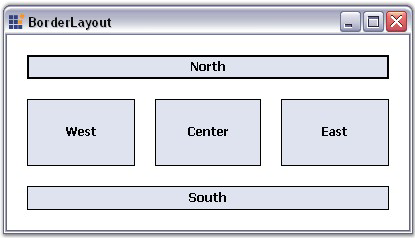
The Syncfusion® WinForms Border Layout control is a layout manager that allows to arrange and layout the child controls along the borders similar to framework’s built-in docking support. Provides option to customize horizontal and vertical gaps between child controls.
Features Overview | Docs | Online Demo | Support | Forums | Feedback
Getting Started
Card Layout
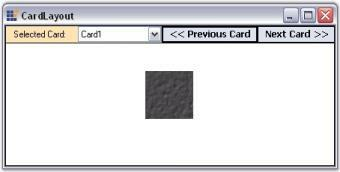
The Syncfusion® WinForms Card Layout is a layout manager that organizes the controls in stack of cards like appearance. Support different image settings for card and provide options to fill the work space with selected card.
Features Overview | Docs | Online Demo | Support | Forums | Feedback
Getting Started
ColorPickerButton
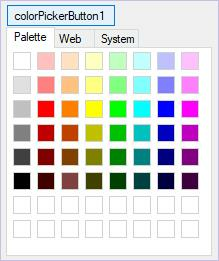
The Syncfusion® WinForms ColorPickerButton control allows users to browse, select one or more dates in month, year, decade, and century views.
Features Overview | Docs | Online Demo | Support | Forums | Feedback
Getting Started
Editable ListBox
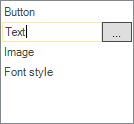
The Syncfusion® WinForms Editable ListBox provides an editable listbox with a textbox and button on the current row to facilitate in place editing.
Features Overview | Docs | Online Demo | Support | Forums | Feedback
Getting Started
Flow Layout
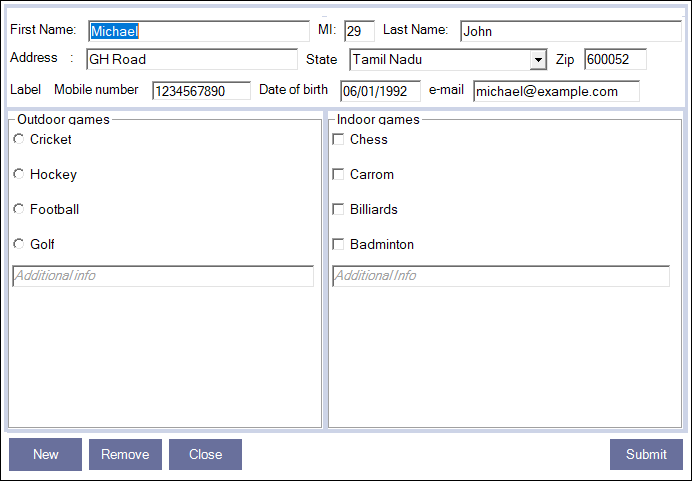
The Syncfusion® WinForms Flow Layout Control is a layout manager arranges the items in horizontal or vertical flow direction. Supports reverse flow direction, option to customize horizontal and vertical gaps between child controls.
Features Overview | Docs | Online Demo | Support | Forums | Feedback
Getting Started
Folder Browser
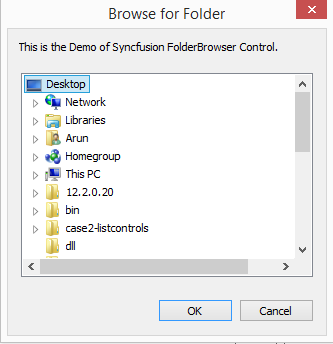
The Syncfusion® WinForms Folder Browser dialog is a Windows Explorer inspired control helps to browsing the folder and files with different location settings. Supports to specify the location of the root folder where browsing will begin. Restrict end user browse folders from specific domain and sub folders and network folders.
Features Overview | Docs | Online Demo | Support | Forums | Feedback
Getting Started
Gradient Panel
The Syncfusion® WinForms Gradient Panel is derived from a standard panel control that acts as a container for other controls. It is used to group a collection of controls and supports a custom background gradient using an array of colors.

Features Overview | Docs | Online Demo | Support | Forums | Feedback
Getting Started
GridBagLayout
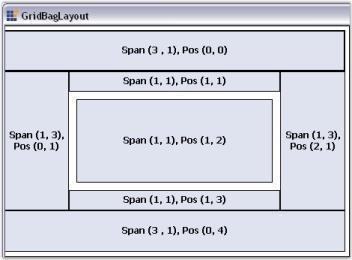
The Syncfusion WinForms GridBagLayout arranges child controls in a virtual grid containing rows and columns. Arrange the child controls automatically in one or more rows. Provides option to customize horizontal and vertical gaps between child controls.
Features Overview | [Docs](https://help.syncfusion.com/windowsforms/layoutmanagers/gridbaglayout/getting-started ?utm_source=nuget&utm_medium=listing&utm_campaign=base-shared-nuget) | Online Demo | Support | Forums | Feedback
Getting Started
MaskedTextBox
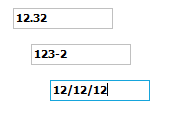
The Syncfusion® WinForms MaskedTextBox control is an editing control that provides an easy and reliable way of collecting user input and displaying standard data in specific formats from any data source.
Features Overview | Docs | Online Demo | Support | Forums | Feedback
Getting Started
TextBoxExt
The Syncfusion® WinForms TextBoxExt Control is an extension of frameworks textbox control that supports different border colors, styles, overflow indicators, and more. It has the ability to display multi-line text with or without wrap and has a built-in scroller to view the overflowing text.

Features Overview | Docs | Online Demo | Support | Forums | Feedback
Getting Started
CheckBox
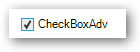
The Syncfusion® WinForms CheckBox control is an advanced version of the standard checkbox control that supports several appearance customization options such as gradient colors, border settings and shadow text with various alignment options for both the text and checkbox. It also provides options to display images and gradient backgrounds.
Features Overview | Docs | Online Demo | Support | Forums | Feedback
Getting Started
IntegerTextBox
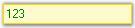
The Syncfusion® WinForms IntegerTextBox is derived from the Windows Forms Framework text box control and can display integer data type values.
Features Overview | Docs | Online Demo | Support | Forums | Feedback
Getting Started
PercentTextBox
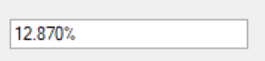
The Syncfusion® WinForms PercentTextBox is a text box-derived control that can display double data type values in percentage form.
Features Overview | Docs | Online Demo | Support | Forums | Feedback
Getting Started
DoubleTextBox
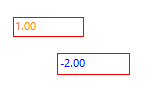
The Syncfusion® WinForms DoubleTextBoxis a text box-derived control that can display double data type values. It is derived from the Windows Forms Framework text box control.
Features Overview | Docs | Online Demo | Support | Forums | Feedback
Getting Started
CurrencyTextBox
The Syncfusion® WinForms CurrencyTextBox component provides for currency-specific behavior in edit controls and implements all the functionality needed for formatting currency input and validation.

Features Overview | Docs | Online Demo | Support | Forums | Feedback
Getting Started
AutoLabel
The Syncfusion® WinForms AutoLabel component provides for currency-specific behavior in edit controls and implements all the functionality needed for formatting currency input and validation.
Features Overview | Docs | Online Demo | Support | Forums | Feedback
Getting Started
License
This is a commercial product and requires a paid license for possession or use. Syncfusion® licensed software, including this component, is subject to the terms and conditions of Syncfusion® EULA. You can purchase a license here or start a free 30-day trial here.
About Syncfusion®
Founded in 2001 and headquartered in Research Triangle Park, N.C., Syncfusion® has more than 29,000 customers and more than 1 million users, including large financial institutions, Fortune 500 companies, and global IT consultancies.
Today, we provide 1800+ components and frameworks for web (Blazor, Flutter, ASP.NET Core, ASP.NET MVC, ASP.NET Web Forms, JavaScript, Angular, React, Vue, and jQuery), mobile (.NET MAUI, Flutter, Xamarin, UWP, and JavaScript), and desktop development (WinForms, WPF, WinUI, .NET MAUI, Flutter, Xamarin, and UWP). We provide ready-to-deploy enterprise software for dashboards, reports, data integration, and big data processing. Many customers have saved millions in licensing fees by deploying our software.
sales@syncfusion.com | www.syncfusion.com | Toll Free: 1-888-9 DOTNET
Showing the top 20 packages that depend on Syncfusion.Shared.Base.
| Packages | Downloads |
|---|---|
|
Syncfusion.Core.WinForms
This package provides the functionality to utilize the features of Syncfusion® WinForms Button, Form, ToolTip, Scroll Frame, Skin Manager and ToolTip.
|
3 |
|
Syncfusion.PdfViewer.Windows
This package provides the functionality to utilize the features of Syncfusion® WinForms PDF Viewer control and more.
|
3 |
|
Syncfusion.Tools.Windows
This package provides the functionality to utilize the features of Syncfusion® WinForms Autocomplete, Carousel, Menu, Multicolumn ComboBox, Color Picker, Docking Manager, Hub Tile, Navigation Drawer, Navigation View, Radial Menu, Radial Slider, Range Slider, Rating, Ribbon, Spell Checker, Split Container, Status Bar, Tab Control, Tile Layout, Tree Navigator, TreeView, Wizard, Tabbed Form, Image streamer, Context menu strip, Trackbar, and Status strip.
|
3 |
|
Syncfusion.Core.WinForms
This package provides the functionality to utilize the features of Syncfusion WinForms Button, Form, ToolTip, Scroll Frame, Skin Manager and ToolTip.
|
2 |
|
Syncfusion.Tools.Windows
This package provides the functionality to utilize the features of Syncfusion WinForms Autocomplete, Carousel, Menu, Multicolumn ComboBox, Color Picker, Docking Manager, Hub Tile, Navigation Drawer, Navigation View, Radial Menu, Radial Slider, Range Slider, Rating, Ribbon, Spell Checker, Split Container, Status Bar, Tab Control, Tile Layout, Tree Navigator, TreeView, Wizard, Tabbed Form, Image streamer, Context menu strip, Trackbar, and Status strip.
|
2 |
|
Syncfusion.Tools.Windows
Syncfusion UI controls for Windows Forms provides various layout and navigation controls needed in line of business applications. This package contains the following controls.
Autocomplete: https://www.syncfusion.com/winforms-ui-controls/autocomplete?utm_source=nuget&utm_medium=listing
Carousel: https://www.syncfusion.com/winforms-ui-controls/carousel?utm_source=nuget&utm_medium=listing
Menu: https://www.syncfusion.com/winforms-ui-controls/menu?utm_source=nuget&utm_medium=listing
Color Picker: https://www.syncfusion.com/winforms-ui-controls/color-picker-dropdown?utm_source=nuget&utm_medium=listing
Docking Manager: https://www.syncfusion.com/winforms-ui-controls/docking-manager?utm_source=nuget&utm_medium=listing
Hub Tile: https://www.syncfusion.com/winforms-ui-controls/hub-tile?utm_source=nuget&utm_medium=listing
Navigation Drawer: https://www.syncfusion.com/winforms-ui-controls/navigation-drawer?utm_source=nuget&utm_medium=listing
Navigation View: https://www.syncfusion.com/winforms-ui-controls/breadcrumb?utm_source=nuget&utm_medium=listing
Radial Menu: https://www.syncfusion.com/winforms-ui-controls/radial-menu?utm_source=nuget&utm_medium=listing
Radial Slider: https://www.syncfusion.com/winforms-ui-controls/radial-slider?utm_source=nuget&utm_medium=listing
Range Slider: https://www.syncfusion.com/winforms-ui-controls/range-slider?utm_source=nuget&utm_medium=listing
Rating: https://www.syncfusion.com/winforms-ui-controls/rating?utm_source=nuget&utm_medium=listing
Ribbon: https://www.syncfusion.com/winforms-ui-controls/ribbon?utm_source=nuget&utm_medium=listing
Spell Checker: https://www.syncfusion.com/winforms-ui-controls/spell-checker?utm_source=nuget&utm_medium=listing
Split Container: https://www.syncfusion.com/winforms-ui-controls/splitcontainer?utm_source=nuget&utm_medium=listing
Status Bar: https://www.syncfusion.com/winforms-ui-controls/status-bar?utm_source=nuget&utm_medium=listing
Tab Control: https://www.syncfusion.com/winforms-ui-controls/tabcontrol?utm_source=nuget&utm_medium=listing
Tile Layout: https://www.syncfusion.com/winforms-ui-controls/tile-layout?utm_source=nuget&utm_medium=listing
Tree Navigator: https://www.syncfusion.com/winforms-ui-controls/tree-navigator?utm_source=nuget&utm_medium=listing
TreeView: https://www.syncfusion.com/winforms-ui-controls/treeview?utm_source=nuget&utm_medium=listing
Wizard: https://www.syncfusion.com/winforms-ui-controls/wizard-control?utm_source=nuget&utm_medium=listing
Tabbed Form: https://www.syncfusion.com/winforms-ui-controls/tabbed-form?utm_source=nuget&utm_medium=listing
Image streamer: https://www.syncfusion.com/winforms-ui-controls/image-streamer?utm_source=nuget&utm_medium=listing
Context menu strip: https://www.syncfusion.com/winforms-ui-controls/contextmenustrip?utm_source=nuget&utm_medium=listing
Trackbar: https://www.syncfusion.com/winforms-ui-controls/trackbar?utm_source=nuget&utm_medium=listing
Status strip: https://www.syncfusion.com/winforms-ui-controls/statusstrip?utm_source=nuget&utm_medium=listing
This is a commercial product and requires a paid license for possession or use. Syncfusion’s licensed software, including this component, is subject to the terms and conditions of Syncfusion's EULA (https://www.syncfusion.com/eula/es/?utm_source=nuget&utm_medium=listing). To acquire a license, you can purchase one at https://www.syncfusion.com/sales/products?utm_source=nuget&utm_medium=listing or start a free 30-day trial here (https://www.syncfusion.com/account/manage-trials/start-trials?utm_source=nuget&utm_medium=listing).
© Copyright 2020 Syncfusion, Inc. All Rights Reserved. The Syncfusion Essential Studio license and copyright applies to this distribution.
|
2 |
|
Syncfusion.Core.WinForms
Syncfusion core for Windows Forms is a .NET library that provides the following Syncfusion UI controls for Windows Forms and common helpers for Syncfusion Windows Forms controls.
Learn more:
Button: https://www.syncfusion.com/winforms-ui-controls/button?utm_source=nuget&utm_medium=listing
Form: https://www.syncfusion.com/winforms-ui-controls/form?utm_source=nuget&utm_medium=listing
ToolTip: https://www.syncfusion.com/winforms-ui-controls/tooltip?utm_source=nuget&utm_medium=listing
Scroll Frame: https://www.syncfusion.com/winforms-ui-controls/scroll-frame?utm_source=nuget&utm_medium=listing
Skin Manger: https://www.syncfusion.com/winforms-ui-controls/skins?utm_source=nuget&utm_medium=listing
Split button: https://www.syncfusion.com/winforms-ui-controls/split-button?utm_source=nuget&utm_medium=listing
Support:
Incident: https://www.syncfusion.com/support/directtrac/incidents/newincident?utm_source=nuget&utm_medium=listing
Forum:https://www.syncfusion.com/forums/windowsforms?utm_source=nuget&utm_medium=listing
This is a commercial product and requires a paid license for possession or use. Syncfusion’s licensed software, including this component, is subject to the terms and conditions of Syncfusion's EULA (https://www.syncfusion.com/eula/es/?utm_source=nuget&utm_medium=listing). To acquire a license, you can purchase one at https://www.syncfusion.com/sales/products?utm_source=nuget&utm_medium=listing or start a free 30-day trial here (https://www.syncfusion.com/account/manage-trials/start-trials?utm_source=nuget&utm_medium=listing).
© Copyright 2020 Syncfusion, Inc. All Rights Reserved. The Syncfusion Essential Studio license and copyright applies to this distribution.
|
2 |
|
Syncfusion.PdfViewer.Windows
Syncfusion PDF viewer for Windows Forms is a 100 percentage managed .NET component that gives you the ability to view and print PDF documents from your Windows Forms application.
Key features:
• High performance (instant loading, less runtime memory, virtualized pages).
• Better viewing experience with magnification and view mode support.
• Pages of PDF document can be acquired as image in any format.
• Select and copy features for text.
• Search and highlight features for text.
• Documents print without user interaction (silent printing).
• Bookmarks and tables of contents to navigate with ease.
• Highly configurable.
Learn more: https://www.syncfusion.com/winforms-ui-controls/pdf-viewer?utm_source=nuget&utm_medium=listing
Documentation: https://help.syncfusion.com/windowsforms/pdfviewer/overview?utm_source=nuget&utm_medium=listing
Support:
Incident: https://www.syncfusion.com/support/directtrac/incidents/newincident?utm_source=nuget&utm_medium=listing
Forum: https://www.syncfusion.com/forums/windowsforms?utm_source=nuget&utm_medium=listing
This is a commercial product and requires a paid license for possession or use. Syncfusion’s licensed software, including this component, is subject to the terms and conditions of Syncfusion's EULA (https://www.syncfusion.com/eula/es/?utm_source=nuget&utm_medium=listing). To acquire a license, you can purchase one at https://www.syncfusion.com/sales/products?utm_source=nuget&utm_medium=listing or start a free 30-day trial here (https://www.syncfusion.com/account/manage-trials/start-trials?utm_source=nuget&utm_medium=listing).
© Copyright 2019 Syncfusion, Inc. All Rights Reserved. The Syncfusion Essential Studio license and copyright applies to this distribution.
|
2 |
|
Syncfusion.Tools.Windows
This package provides the functionality to utilize the features of Syncfusion® WinForms Autocomplete, Carousel, Menu, Multicolumn ComboBox, Color Picker, Docking Manager, Hub Tile, Navigation Drawer, Navigation View, Radial Menu, Radial Slider, Range Slider, Rating, Ribbon, Spell Checker, Split Container, Status Bar, Tab Control, Tile Layout, Tree Navigator, TreeView, Wizard, Tabbed Form, Image streamer, Context menu strip, Trackbar, and Status strip.
|
2 |
|
Syncfusion.PdfViewer.Windows
Syncfusion PDF viewer for Windows Forms is a 100 percentage managed .NET component that gives you the ability to view and print PDF documents from your Windows Forms application.
Key features:
• High performance (instant loading, less runtime memory, virtualized pages).
• Better viewing experience with magnification and view mode support.
• Pages of PDF document can be acquired as image in any format.
• Select and copy features for text.
• Search and highlight features for text.
• Documents print without user interaction (silent printing).
• Bookmarks and tables of contents to navigate with ease.
• Highly configurable.
Learn more: https://www.syncfusion.com/winforms-ui-controls/pdf-viewer?utm_source=nuget&utm_medium=listing
Documentation: https://help.syncfusion.com/windowsforms/pdfviewer/overview?utm_source=nuget&utm_medium=listing
Support:
Incident: https://www.syncfusion.com/support/directtrac/incidents/newincident?utm_source=nuget&utm_medium=listing
Forum: https://www.syncfusion.com/forums/windowsforms?utm_source=nuget&utm_medium=listing
This is a commercial product and requires a paid license for possession or use. Syncfusion’s licensed software, including this component, is subject to the terms and conditions of Syncfusion's EULA (https://www.syncfusion.com/eula/es/?utm_source=nuget&utm_medium=listing). To acquire a license, you can purchase one at https://www.syncfusion.com/sales/products?utm_source=nuget&utm_medium=listing or start a free 30-day trial here (https://www.syncfusion.com/account/manage-trials/start-trials?utm_source=nuget&utm_medium=listing).
© Copyright 2020 Syncfusion, Inc. All Rights Reserved. The Syncfusion Essential Studio license and copyright applies to this distribution.
|
2 |
|
Syncfusion.Grid.Windows
This package contains the following Syncfusion UI controls for Windows Forms.
Grid Control:
Syncfusion’s GridControl is a cell-oriented grid that contains its own data and does not need to bind to a data source. It can be easily customized down to the cell level. It can be used in a virtual manner where the data is provided on-demand in real time, or in a way that the grid control maintains the data with its own internal structures.
Learn more: https://www.syncfusion.com/winforms-ui-controls/excel-like-grid?utm_source=nuget&utm_medium=listing
Grid List Control: https://www.syncfusion.com/winforms-ui-controls/grid-list?utm_source=nuget&utm_medium=listing
Support:
Incident: https://www.syncfusion.com/support/directtrac/incidents/newincident?utm_source=nuget&utm_medium=listing
Forum: https://www.syncfusion.com/forums/windowsforms?utm_source=nuget&utm_medium=listing
This is a commercial product and requires a paid license for possession or use. Syncfusion’s licensed software, including this component, is subject to the terms and conditions of Syncfusion's EULA (https://www.syncfusion.com/eula/es/?utm_source=nuget&utm_medium=listing). To acquire a license, you can purchase one at https://www.syncfusion.com/sales/products?utm_source=nuget&utm_medium=listing or start a free 30-day trial here (https://www.syncfusion.com/account/manage-trials/start-trials?utm_source=nuget&utm_medium=listing).
© Copyright 2019 Syncfusion, Inc. All Rights Reserved. The Syncfusion Essential Studio license and copyright applies to this distribution.
|
2 |
|
Syncfusion.Core.WinForms
This package provides the functionality to utilize the features of Syncfusion® WinForms Button, Form, ToolTip, Scroll Frame, Skin Manager and ToolTip.
|
2 |
.NET Framework 4.0
- Syncfusion.Licensing (>= 30.2.7)
.NET Framework 4.6.2
- Syncfusion.Licensing (>= 30.2.7)
.NET 8.0
- Syncfusion.Licensing (>= 30.2.7)
- Microsoft.WinForms.Designer.SDK (>= 1.6.0)
.NET 9.0
- Syncfusion.Licensing (>= 30.2.7)
- Microsoft.WinForms.Designer.SDK (>= 1.6.0)
| Version | Downloads | Last updated |
|---|---|---|
| 31.2.16 | 0 | 12/01/2025 |
| 31.2.15 | 0 | 11/25/2025 |
| 31.2.12 | 0 | 11/18/2025 |
| 31.2.10 | 0 | 11/12/2025 |
| 31.2.5 | 0 | 11/03/2025 |
| 31.2.4 | 0 | 10/28/2025 |
| 31.2.3 | 1 | 12/06/2025 |
| 31.2.2 | 0 | 10/15/2025 |
| 31.1.23 | 0 | 10/06/2025 |
| 31.1.22 | 0 | 09/30/2025 |
| 31.1.21 | 0 | 09/22/2025 |
| 31.1.20 | 0 | 09/16/2025 |
| 31.1.19 | 0 | 09/11/2025 |
| 31.1.18 | 0 | 09/09/2025 |
| 31.1.17 | 0 | 09/05/2025 |
| 30.2.7 | 1 | 12/06/2025 |
| 30.2.6 | 0 | 08/18/2025 |
| 30.2.5 | 0 | 08/13/2025 |
| 30.2.4 | 0 | 08/07/2025 |
| 30.1.42 | 0 | 07/28/2025 |
| 30.1.41 | 0 | 07/22/2025 |
| 30.1.40 | 0 | 07/14/2025 |
| 30.1.39 | 0 | 07/08/2025 |
| 30.1.38 | 0 | 07/01/2025 |
| 30.1.37 | 0 | 06/25/2025 |
| 29.2.11 | 0 | 06/16/2025 |
| 29.2.10 | 0 | 06/09/2025 |
| 29.2.9 | 0 | 06/05/2025 |
| 29.2.8 | 0 | 06/03/2025 |
| 29.2.7 | 0 | 05/26/2025 |
| 29.2.5 | 0 | 05/20/2025 |
| 29.2.4 | 0 | 05/14/2025 |
| 29.1.41 | 0 | 05/05/2025 |
| 29.1.40 | 0 | 04/28/2025 |
| 29.1.39 | 0 | 04/21/2025 |
| 29.1.38 | 0 | 04/14/2025 |
| 29.1.37 | 0 | 04/08/2025 |
| 29.1.35 | 0 | 04/01/2025 |
| 29.1.33 | 0 | 03/25/2025 |
| 28.2.12 | 0 | 03/19/2025 |
| 28.2.11 | 0 | 03/10/2025 |
| 28.2.9 | 0 | 03/03/2025 |
| 28.2.7 | 0 | 02/25/2025 |
| 28.2.6 | 0 | 02/17/2025 |
| 28.2.5 | 0 | 02/11/2025 |
| 28.2.4 | 0 | 02/04/2025 |
| 28.2.3 | 0 | 01/29/2025 |
| 28.1.41 | 0 | 01/20/2025 |
| 28.1.39 | 0 | 01/13/2025 |
| 28.1.38 | 0 | 01/07/2025 |
| 28.1.37 | 0 | 12/31/2024 |
| 28.1.36 | 0 | 12/23/2024 |
| 28.1.35 | 0 | 12/18/2024 |
| 28.1.33 | 0 | 12/12/2024 |
| 27.2.5 | 0 | 12/02/2024 |
| 27.2.4 | 0 | 11/26/2024 |
| 27.2.3 | 0 | 11/22/2024 |
| 27.2.2 | 0 | 11/15/2024 |
| 27.1.58 | 1 | 12/07/2025 |
| 27.1.57 | 0 | 10/28/2024 |
| 27.1.56 | 0 | 10/23/2024 |
| 27.1.55 | 0 | 10/21/2024 |
| 27.1.53 | 0 | 10/14/2024 |
| 27.1.52 | 0 | 10/07/2024 |
| 27.1.51 | 0 | 09/30/2024 |
| 27.1.50 | 0 | 09/23/2024 |
| 27.1.48 | 0 | 09/18/2024 |
| 26.2.14 | 0 | 09/09/2024 |
| 26.2.13 | 0 | 09/05/2024 |
| 26.2.12 | 0 | 09/02/2024 |
| 26.2.11 | 0 | 08/27/2024 |
| 26.2.10 | 0 | 08/19/2024 |
| 26.2.9 | 0 | 08/12/2024 |
| 26.2.8 | 0 | 08/05/2024 |
| 26.2.7 | 0 | 07/29/2024 |
| 26.2.5 | 0 | 07/25/2024 |
| 26.2.4 | 0 | 07/24/2024 |
| 26.1.42 | 0 | 07/15/2024 |
| 26.1.41 | 0 | 07/08/2024 |
| 26.1.40 | 0 | 07/01/2024 |
| 26.1.39 | 0 | 06/24/2024 |
| 26.1.38 | 0 | 06/18/2024 |
| 26.1.35 | 0 | 06/11/2024 |
| 25.2.7 | 0 | 06/03/2024 |
| 25.2.6 | 0 | 05/28/2024 |
| 25.2.5 | 0 | 05/21/2024 |
| 25.2.4 | 0 | 05/14/2024 |
| 25.2.3 | 0 | 05/08/2024 |
| 25.1.42 | 0 | 04/29/2024 |
| 25.1.41 | 0 | 04/23/2024 |
| 25.1.40 | 0 | 04/15/2024 |
| 25.1.39 | 0 | 04/08/2024 |
| 25.1.38 | 0 | 04/01/2024 |
| 25.1.37 | 0 | 03/26/2024 |
| 25.1.35 | 0 | 03/15/2024 |
| 24.2.9 | 0 | 03/04/2024 |
| 24.2.8 | 0 | 02/26/2024 |
| 24.2.7 | 0 | 02/19/2024 |
| 24.2.6 | 0 | 02/14/2024 |
| 24.2.5 | 0 | 02/12/2024 |
| 24.2.4 | 0 | 02/05/2024 |
| 24.2.3 | 0 | 01/31/2024 |
| 24.1.47 | 0 | 01/22/2024 |
| 24.1.46 | 0 | 01/16/2024 |
| 24.1.45 | 0 | 01/08/2024 |
| 24.1.44 | 0 | 01/02/2024 |
| 24.1.43 | 0 | 12/27/2023 |
| 24.1.41 | 0 | 12/18/2023 |
| 23.2.7 | 0 | 12/06/2023 |
| 23.2.6 | 0 | 11/28/2023 |
| 23.2.5 | 0 | 11/23/2023 |
| 23.2.4 | 0 | 11/20/2023 |
| 23.1.44 | 0 | 11/06/2023 |
| 23.1.43 | 0 | 10/30/2023 |
| 23.1.42 | 0 | 10/23/2023 |
| 23.1.41 | 0 | 10/16/2023 |
| 23.1.40 | 0 | 10/10/2023 |
| 23.1.39 | 0 | 10/04/2023 |
| 23.1.38 | 0 | 09/26/2023 |
| 23.1.36 | 0 | 09/15/2023 |
| 22.2.12 | 0 | 09/05/2023 |
| 22.2.11 | 0 | 08/28/2023 |
| 22.2.10 | 0 | 08/22/2023 |
| 22.2.9 | 0 | 08/14/2023 |
| 22.2.8 | 1 | 12/07/2025 |
| 22.2.7 | 1 | 12/07/2025 |
| 22.2.5 | 0 | 07/27/2023 |
| 22.1.39 | 0 | 07/18/2023 |
| 22.1.38 | 0 | 07/11/2023 |
| 22.1.37 | 0 | 07/03/2023 |
| 22.1.36 | 0 | 06/28/2023 |
| 22.1.34 | 0 | 06/21/2023 |
| 21.2.10 | 0 | 06/12/2023 |
| 21.2.9 | 0 | 06/06/2023 |
| 21.2.8 | 0 | 05/30/2023 |
| 21.2.6 | 0 | 05/22/2023 |
| 21.2.5 | 0 | 05/15/2023 |
| 21.2.4 | 0 | 05/09/2023 |
| 21.2.3 | 0 | 05/03/2023 |
| 21.1.41 | 0 | 04/19/2023 |
| 21.1.39 | 0 | 04/10/2023 |
| 21.1.38 | 0 | 04/03/2023 |
| 21.1.37 | 0 | 03/29/2023 |
| 21.1.35 | 0 | 03/23/2023 |
| 20.4.0.54 | 0 | 03/13/2023 |
| 20.4.0.53 | 0 | 03/07/2023 |
| 20.4.0.52 | 0 | 02/28/2023 |
| 20.4.0.51 | 0 | 02/21/2023 |
| 20.4.0.50 | 0 | 02/14/2023 |
| 20.4.0.49 | 0 | 02/07/2023 |
| 20.4.0.48 | 0 | 02/01/2023 |
| 20.4.0.44 | 0 | 01/18/2023 |
| 20.4.0.43 | 0 | 01/10/2023 |
| 20.4.0.42 | 0 | 01/04/2023 |
| 20.4.0.41 | 0 | 12/29/2022 |
| 20.4.0.40 | 0 | 12/28/2022 |
| 20.4.0.38 | 0 | 12/21/2022 |
| 20.3.0.61 | 0 | 12/12/2022 |
| 20.3.0.60 | 0 | 12/06/2022 |
| 20.3.0.59 | 0 | 11/29/2022 |
| 20.3.0.58 | 0 | 11/21/2022 |
| 20.3.0.57 | 0 | 11/14/2022 |
| 20.3.0.56 | 0 | 11/08/2022 |
| 20.3.0.52 | 0 | 10/27/2022 |
| 20.3.0.50 | 0 | 10/17/2022 |
| 20.3.0.49 | 0 | 10/11/2022 |
| 20.3.0.48 | 0 | 10/05/2022 |
| 20.3.0.47 | 0 | 09/29/2022 |
| 20.2.0.50 | 0 | 09/20/2022 |
| 20.2.0.49 | 0 | 09/13/2022 |
| 20.2.0.48 | 0 | 09/06/2022 |
| 20.2.0.46 | 0 | 08/30/2022 |
| 20.2.0.45 | 0 | 08/23/2022 |
| 20.2.0.44 | 0 | 08/16/2022 |
| 20.2.0.43 | 0 | 08/08/2022 |
| 20.2.0.40 | 0 | 07/26/2022 |
| 20.2.0.39 | 0 | 07/19/2022 |
| 20.2.0.38 | 0 | 07/12/2022 |
| 20.2.0.36 | 0 | 06/30/2022 |
| 20.1.0.61 | 0 | 06/20/2022 |
| 20.1.0.60 | 0 | 06/14/2022 |
| 20.1.0.59 | 0 | 06/06/2022 |
| 20.1.0.58 | 0 | 05/30/2022 |
| 20.1.0.57 | 0 | 05/23/2022 |
| 20.1.0.56 | 0 | 05/17/2022 |
| 20.1.0.55 | 0 | 05/12/2022 |
| 20.1.0.52 | 0 | 05/02/2022 |
| 20.1.0.51 | 0 | 04/26/2022 |
| 20.1.0.50 | 0 | 04/19/2022 |
| 20.1.0.48 | 0 | 04/12/2022 |
| 20.1.0.47 | 0 | 04/04/2022 |
| 19.4.0.56 | 0 | 03/14/2022 |
| 19.4.0.55 | 0 | 03/08/2022 |
| 19.4.0.54 | 0 | 02/28/2022 |
| 19.4.0.53 | 0 | 02/21/2022 |
| 19.4.0.52 | 0 | 02/15/2022 |
| 19.4.0.50 | 0 | 02/08/2022 |
| 19.4.0.48 | 0 | 01/31/2022 |
| 19.4.0.47 | 0 | 01/24/2022 |
| 19.4.0.43 | 0 | 01/18/2022 |
| 19.4.0.42 | 0 | 01/10/2022 |
| 19.4.0.41 | 0 | 01/04/2022 |
| 19.4.0.40 | 0 | 12/28/2021 |
| 19.4.0.38 | 0 | 12/17/2021 |
| 19.3.0.59 | 0 | 12/14/2021 |
| 19.3.0.57 | 0 | 12/07/2021 |
| 19.3.0.56 | 0 | 11/29/2021 |
| 19.3.0.55 | 0 | 11/23/2021 |
| 19.3.0.54 | 0 | 11/17/2021 |
| 19.3.0.53 | 0 | 11/12/2021 |
| 19.3.0.48 | 0 | 11/03/2021 |
| 19.3.0.47 | 0 | 10/26/2021 |
| 19.3.0.46 | 0 | 10/19/2021 |
| 19.3.0.45 | 0 | 10/12/2021 |
| 19.3.0.44 | 0 | 10/05/2021 |
| 19.3.0.43 | 0 | 09/30/2021 |
| 19.2.0.62 | 0 | 09/13/2021 |
| 19.2.0.60 | 0 | 09/07/2021 |
| 19.2.0.59 | 0 | 08/30/2021 |
| 19.2.0.57 | 0 | 08/24/2021 |
| 19.2.0.56 | 0 | 08/17/2021 |
| 19.2.0.55 | 0 | 08/11/2021 |
| 19.2.0.51 | 0 | 08/02/2021 |
| 19.2.0.49 | 0 | 07/26/2021 |
| 19.2.0.48 | 0 | 07/19/2021 |
| 19.2.0.47 | 0 | 07/13/2021 |
| 19.2.0.46 | 0 | 07/06/2021 |
| 19.2.0.44 | 0 | 06/30/2021 |
| 19.1.0.69 | 0 | 06/14/2021 |
| 19.1.0.67 | 0 | 06/07/2021 |
| 19.1.0.66 | 0 | 05/31/2021 |
| 19.1.0.65 | 0 | 05/24/2021 |
| 19.1.0.64 | 0 | 05/19/2021 |
| 19.1.0.63 | 0 | 05/13/2021 |
| 19.1.0.59 | 0 | 05/03/2021 |
| 19.1.0.58 | 0 | 04/26/2021 |
| 19.1.0.57 | 0 | 04/20/2021 |
| 19.1.0.56 | 0 | 04/12/2021 |
| 19.1.0.55 | 0 | 04/06/2021 |
| 19.1.0.54 | 0 | 03/30/2021 |
| 18.4.0.49 | 0 | 03/22/2021 |
| 18.4.0.48 | 0 | 03/16/2021 |
| 18.4.0.47 | 0 | 03/09/2021 |
| 18.4.0.46 | 0 | 03/02/2021 |
| 18.4.0.44 | 0 | 02/23/2021 |
| 18.4.0.43 | 0 | 02/15/2021 |
| 18.4.0.42 | 0 | 02/09/2021 |
| 18.4.0.41 | 0 | 02/02/2021 |
| 18.4.0.39 | 0 | 01/28/2021 |
| 18.4.0.35 | 0 | 01/19/2021 |
| 18.4.0.34 | 0 | 01/12/2021 |
| 18.4.0.33 | 0 | 01/04/2021 |
| 18.4.0.32 | 0 | 12/30/2020 |
| 18.4.0.31 | 0 | 12/22/2020 |
| 18.4.0.30 | 0 | 12/17/2020 |
| 18.3.0.53 | 0 | 12/08/2020 |
| 18.3.0.52 | 0 | 11/30/2020 |
| 18.3.0.51 | 0 | 11/23/2020 |
| 18.3.0.50 | 0 | 11/17/2020 |
| 18.3.0.48 | 0 | 11/10/2020 |
| 18.3.0.47 | 0 | 11/05/2020 |
| 18.3.0.44 | 0 | 10/27/2020 |
| 18.3.0.42 | 0 | 10/20/2020 |
| 18.3.0.40 | 0 | 10/12/2020 |
| 18.3.0.38 | 0 | 10/07/2020 |
| 18.3.0.35 | 0 | 10/01/2020 |
| 18.2.0.59 | 0 | 09/22/2020 |
| 18.2.0.58 | 0 | 09/15/2020 |
| 18.2.0.57 | 0 | 09/08/2020 |
| 18.2.0.56 | 0 | 09/01/2020 |
| 18.2.0.55 | 0 | 08/24/2020 |
| 18.2.0.54 | 0 | 08/18/2020 |
| 18.2.0.48 | 0 | 08/04/2020 |
| 18.2.0.47 | 0 | 07/28/2020 |
| 18.2.0.46 | 0 | 07/21/2020 |
| 18.2.0.45 | 0 | 07/14/2020 |
| 18.2.0.44 | 0 | 07/06/2020 |
| 18.1.0.59 | 0 | 06/23/2020 |
| 18.1.0.57 | 0 | 06/15/2020 |
| 18.1.0.56 | 0 | 06/09/2020 |
| 18.1.0.55 | 0 | 06/02/2020 |
| 18.1.0.54 | 0 | 05/26/2020 |
| 18.1.0.53 | 0 | 05/19/2020 |
| 18.1.0.52 | 0 | 05/13/2020 |
| 18.1.0.48 | 0 | 05/05/2020 |
| 18.1.0.46 | 0 | 04/28/2020 |
| 18.1.0.45 | 0 | 04/20/2020 |
| 18.1.0.44 | 0 | 04/14/2020 |
| 18.1.0.43 | 0 | 04/07/2020 |
| 18.1.0.42 | 0 | 04/01/2020 |
| 18.1.0.36-beta | 0 | 03/19/2020 |
| 17.4.0.55 | 0 | 03/10/2020 |
| 17.4.0.53 | 0 | 03/03/2020 |
| 17.4.0.51 | 0 | 02/25/2020 |
| 17.4.0.50 | 0 | 02/18/2020 |
| 17.4.0.49 | 0 | 02/11/2020 |
| 17.4.0.47 | 0 | 02/05/2020 |
| 17.4.0.46 | 0 | 01/30/2020 |
| 17.4.0.44 | 0 | 01/21/2020 |
| 17.4.0.43 | 0 | 01/14/2020 |
| 17.4.0.41 | 0 | 01/07/2020 |
| 17.4.0.40 | 0 | 12/24/2019 |
| 17.4.0.39 | 0 | 12/17/2019 |
| 17.3.0.34 | 0 | 12/10/2019 |
| 17.3.0.33 | 0 | 12/04/2019 |
| 17.3.0.30 | 0 | 12/03/2019 |
| 17.3.0.29 | 0 | 11/26/2019 |
| 17.3.0.28 | 0 | 11/18/2019 |
| 17.3.0.27 | 0 | 11/12/2019 |
| 17.3.0.26 | 0 | 11/05/2019 |
| 17.3.0.21 | 0 | 10/29/2019 |
| 17.3.0.19 | 0 | 10/22/2019 |
| 17.3.0.17 | 0 | 10/15/2019 |
| 17.3.0.14 | 0 | 10/03/2019 |
| 17.3.0.9-beta | 0 | 09/20/2019 |
| 17.2.0.51 | 0 | 09/10/2019 |
| 17.2.0.49 | 0 | 09/03/2019 |
| 17.2.0.47 | 0 | 08/27/2019 |
| 17.2.0.46 | 0 | 08/22/2019 |
| 17.2.0.41 | 0 | 08/13/2019 |
| 17.2.0.40 | 0 | 08/06/2019 |
| 17.2.0.39 | 0 | 07/30/2019 |
| 17.2.0.36 | 0 | 07/23/2019 |
| 17.2.0.35 | 0 | 07/17/2019 |
| 17.2.0.34 | 0 | 07/11/2019 |
| 17.2.0.28-beta | 0 | 06/27/2019 |
| 17.1.0.53 | 0 | 06/25/2019 |
| 17.1.0.52 | 0 | 06/18/2019 |
| 17.1.0.51 | 0 | 06/11/2019 |
| 17.1.0.50 | 0 | 06/04/2019 |
| 17.1.0.49 | 0 | 05/28/2019 |
| 17.1.0.48 | 0 | 05/21/2019 |
| 17.1.0.47 | 0 | 05/14/2019 |
| 17.1.0.44 | 0 | 05/07/2019 |
| 17.1.0.43 | 0 | 04/30/2019 |
| 17.1.0.42 | 0 | 04/23/2019 |
| 17.1.0.41 | 0 | 04/16/2019 |
| 17.1.0.40 | 0 | 04/09/2019 |
| 17.1.0.38 | 0 | 03/29/2019 |
| 17.1.0.32-beta | 0 | 03/13/2019 |
| 16.4.0.54 | 0 | 02/19/2019 |
| 16.4.0.53 | 0 | 02/13/2019 |
| 16.4.0.52 | 0 | 02/05/2019 |
| 16.4.0.48 | 0 | 01/22/2019 |
| 16.4.0.47 | 0 | 01/16/2019 |
| 16.4.0.46 | 0 | 01/08/2019 |
| 16.4.0.44 | 0 | 12/24/2018 |
| 16.4.0.42 | 0 | 12/17/2018 |
| 16.4.0.40-beta | 0 | 12/10/2018 |
| 16.3.0.36 | 0 | 11/27/2018 |
| 16.3.0.35-beta | 0 | 11/23/2018 |
| 16.3.0.29 | 0 | 10/30/2018 |
| 16.3.0.21 | 0 | 09/21/2018 |
| 16.3.0.17-beta | 0 | 09/12/2018 |
| 16.2.0.50 | 0 | 08/28/2018 |
| 16.2.0.46 | 0 | 08/09/2018 |